Coop-Track
Coop Track 🎓
A Chrome extension that automatically tracks your UTSC Co-op job applications by logging them directly into a Google Sheet whenever you submit an application on the Symplicity portal.
Demo
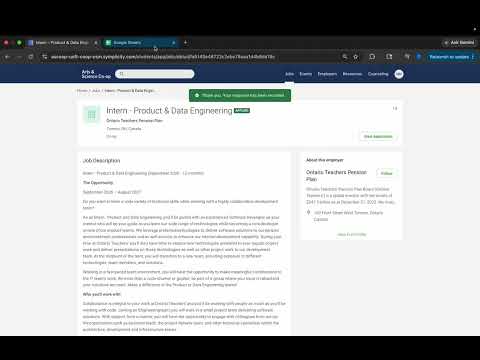
Features
- 🔍 Auto-detects when you submit a job application on the UTSC Co-op portal
- 📊 Automatically creates a Google Sheet titled “Coop-Track Applications” in your Google Drive
- 📝 Logs job details including company, position, type, work term, duration, location, URL, and application date
- 📋 Status dropdown on each row with options:
Applied,Interview,Offer,Rejected,Accepted - ♻️ Reuses the same sheet across all applications — only creates a new one if the old sheet is deleted or trashed
What Gets Logged
| Column | Description |
|---|---|
| Company | Company name |
| Position | Job title |
| Type | On-site / Remote / Hybrid |
| Work Term | e.g. Winter 2025 |
| Duration | Length of the co-op |
| Location | City/region |
| URL | Direct link to the job posting |
| Status | Applied / Interview / Offer / Rejected / Accepted |
| Application Date | Date you submitted |
Installation (Local Development)
Prerequisites
- Node.js installed
- A Google account
Steps
1. Clone the repository
git clone https://github.com/yourusername/coop-track.git
cd coop-track
2. Install dependencies
npm install
3. Build the TypeScript files
npm run build
Or use watch mode to auto-rebuild on save:
npm run watch
4. Load the extension in Chrome
- Go to
chrome://extensions - Enable Developer mode (top right)
- Click Load unpacked
- Select the project root folder (where
manifest.jsonis)
5. Sign in
No sign-in is required on install. On your first application submission, Chrome will prompt you to sign in with your Google account and approve access to Google Sheets and Drive.
Usage
- Navigate to the UTSC Co-op portal and open a job posting
- Submit your application by clicking Yes or Submit
- The extension will automatically:
- Authenticate with your Google account (first time only)
- Create a Google Sheet called “Coop-Track Applications” in your Drive (first time only)
- Log the job details as a new row
- Add a status dropdown to the row
Find your sheet anytime by searching “Coop-Track Applications” in Google Drive.
Tech Stack
- TypeScript — content and background scripts
- Chrome Extension Manifest V3
- Google Sheets API v4
- Google Drive API v3
- Chrome Identity API — OAuth 2.0 authentication